
- /
- /
- /
User Time Card
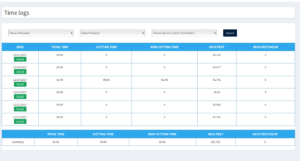
The Technician’s Inch Feet is automatically recorded when they the Cut Hazards. Their Time on the Job, or other areas where they are paid on a Time basis, can be recorded in two different ways.
(1) They can use the built in Timer in the Terminal. Selecting the Red Clock Icon in the lower left of the Technicians iPad will bring up a time. The Technician selects the type of Time and selects Start. When they are done they select Stop and the Time is added to their Time Card.


(2) The other way is to enter their time manually. Selecting Detail will allow them to enter the type and amount of time. They can also select a Payroll Period and it will summarize their Inch Feet as well as their other time.