
- /
- /
- /
Project Sections
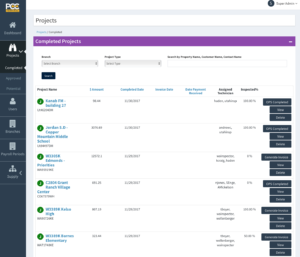
Under the Projects Tab you have three options to select: Completed, Approved and Potential.
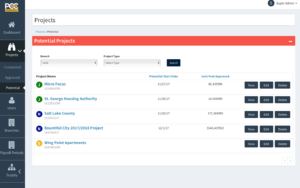
Potential is where you have entered Potential Projects. Enter all the necessary information about the type of Project. You can save and come back to it as often as you want. Once you have all the information that is needed by your Operations Manager, send the Project to the Approved Section. You’ll see how this works later on.
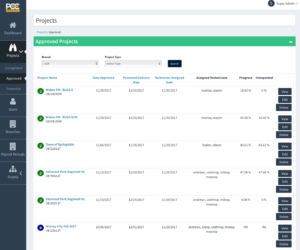
Approved Projects are all Projects that have been sent to Operations for action. This screen shows information about the Project. The Technician Assigned Date, and Technicians Assigned as well as the Live progress of the Project.
Completed Projects: This screen shows all projects that have been completed by Operations and sent back to the Salesperson for further action or Invoicing. The Salesperson creates the Invoice and sends it to Accounting who then sends it to the customer. Invoice Date and Date Payment received are shown on this screen so the Salesperson can have this information.