
- /
- /
- /
New Features 6/1/19
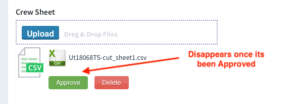
• Crew Sheet Approval Process has been simplified. One button for Manual Upload as well as Send from BB Server. Approve Button disappears when selected so you know it’s been done.
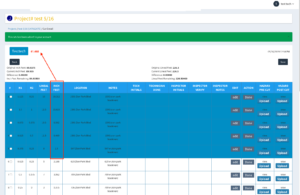
• Technician IF Display
(1) When the Technicians Highlight the Cuts they are going to do that day – it now gives a total of the IF selected. That way if their goal is say 60 IF, they can highlight hazards until they get to that 60 IF number so they know what they have to cut. As they mark as done the highlighted Cuts, that number counts down and shows them what they have left to cut.
(2) We are now displaying the Actual IF Cut today and their IF Cut this week for the Technician.
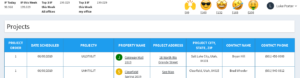
IF Today – this is the Technician’s Inch Feet that they have marked as Done for all projects that day. Will reset to Zero at 1am every day
IF This Week – This is the Total Inch Feet the Technician has marked as Done for all projects for the Current Week.
Top 3 Inch Feet this week my Office – This would display the Top 3 Technicians that have the highest total of Inch Feet week-to-date for the office that the technicians is assigned too.
Top 3 Inch Feet this week All Branches – This would display the Top 3 Technicians that have the highest total of Inch Feet week-to-date for ALL Branches.