
- /
- /
- /
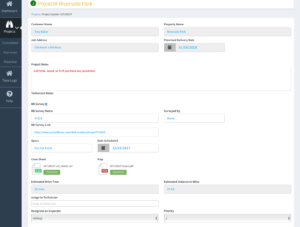
Job – Operations
The most common project you’ll get in Operations is a JOB. This is your standard, pre-bid or surveyed job where you know in advance what needs to be done. This will include having a spreadsheet from BidBoss of the different hazards that need to be cut, etc. Jobs are designated with a green circle with a “J” inside. The Lead Tech (Operations) clicks on the job that he receives from the sales person. Opens it up and looks at what is involved.
Assign the project to the technicians and designate an inspector. You may decide to have one of the technicians assigned as the inspector and be responsible for verifying the work of others on the project. They will typically stop cutting a little earlier and stop by and look at the other cuts. In a perfect scenario, all cuts would be verified as cut and inspected before the technicians complete the project.
If Operations is sending the Technician to more than one Job, they can designate the order by indicating Priority.
Once Operations has assigned Technicians, Inspectors, Priority and verified the Cut Sheet and Map look ok – Send to the Technicians. It will then show up on their iPad and they can proceed with the Job.