

- /
- /
- /
Job Technician
The most common project you’ll get as a technician is a JOB. This is your standard, pre-bid or surveyed job where you know in advance what needs to be done. This will include having a spreadsheet from BidBoss of the different hazards that need to be cut, etc. Jobs are designated with a green circle with a “J” inside. 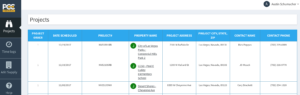
When the Technician clicks on the Job, they can see the details of the Job. The Address, Estimated time to Job
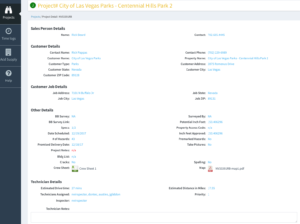
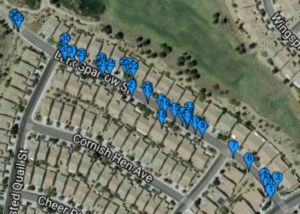
You can click on the Map and the Cut sheet to see some of the details and where the hazards are located, sizes, etc.
Here is a view of a cut sheet. This is the screen the Technician will spend most of the time on. As the Hazards are cut, the Technician will select the hazard and it will post the Date and Time the hazard is cut. The Inspector can also Inspect each hazard and the Date and Time it was Inspected. Technician can also edit the hazard if the original Survey specs weren’t correct. The edited hazard will be highlighted in Red.

As the technicians work on the project, the Lead Tech (Operations) and the Salesperson can see when each hazard is cut. The Cut Sheet is updated real time for all Users that have access to it.
If you are coordinating with other technicians for what hazards they’ll cut, verses what you’ll cut, simply click the number of the hazard on the right hand side and that lets other technicians know what you plan to do. You’ll be able to see what other technicians will be working on because their hazards will be highlighted in another color.
Once you have completed everything, you can click the “Complete” button, verify that you’re 100% done, and it’ll go back to the Lead Tech (Operations) and they can pass it along to the sales team for review and invoicing.