

- /
- /
- /
Demonstrations Technician
The technicians will often get asked to accompany a salesperson to do a demonstration cut.
You’ll be notified through the Terminal on your iPad. You’ll know that they are demonstrations because you’ll have a yellow circle with a “D” in the middle.
The Technician will have the information about the customer and when the project is scheduled (date), and other instructions from the salesperson.

This is what a technician will see on their dashboard in the iPad.
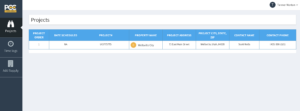
The technician can click on the yellow dot and it will bring up the details on their iPad.
The Technician can then meet the salesperson and do the demonstration.
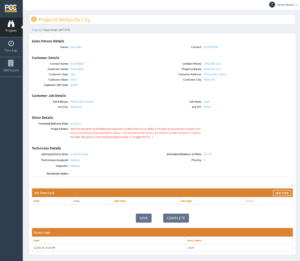
Once the demonstration is complete, click “Complete” and then the project will disappear from the iPad.

Operations will then get a notification that it’s been completed, can review the details of the Demo and then send back to the Salesperson.